Before comparing features or pricing, answer this: do you need a structured procedure (steps, screenshots, narration, quizzes, tracking) or just a recording? This single distinction eliminates half the market. A structured video SOP is a step-by-step procedure employees follow in sequence, with per-step screenshots, AI-generated voice-over, embedded quizzes, and completion tracking. A recording is a video file and a shareable link. Both are useful. They are not the same product, they are not priced the same way, and buying the wrong one is the most common and most expensive mistake in this category.
Article

How to Choose Video SOP Software: A Buyer's Guide (2026)
TL;DR
Choosing video SOP software is harder than it looks, because four very different categories of tool all market themselves with similar language -- and buying the wrong category is the most common and most expensive mistake. This GeekyExpert buyer's guide walks through the eight decision criteria that actually determine fit: process type, output structure, multilingual needs, interactivity, update workflow, distribution, tracking, and security.
The single most important question to answer first: do you need a structured procedure employees follow step by step, or just a recording? That one distinction eliminates half the market immediately. Gartner reports organisations overspend on SaaS by an average of 30% due to hidden costs and forced tier upgrades -- and in the SOP category, most of that waste comes from buying a tool that does an adjacent job rather than the one you actually need.
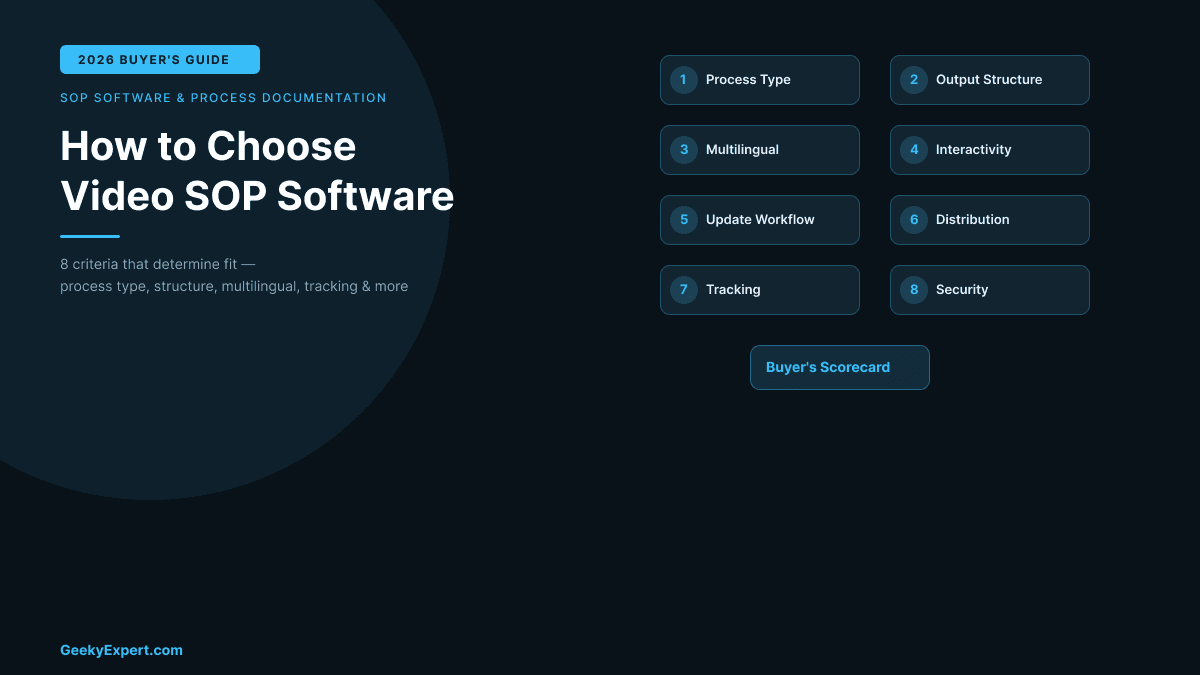
Eight criteria for choosing video SOP software in 2026. This GeekyExpert buyer's guide covers process type, output structure, multilingual needs, interactivity, update workflow, distribution, tracking, and security -- starting with the single most important question: do you need a structured procedure or just a recording? Gartner reports 30% SaaS overspend from buying the wrong category.
How to Choose Video SOP Software: The Buyer's Guide (2026)
Gartner reports organisations overspend on SaaS by an average of 30 percent due to hidden costs and forced tier upgrades -- and in the SOP category, most of that waste comes from buying a tool that does an adjacent job rather than the one you actually need. This buyer's guide walks through the eight decision criteria that actually determine fit, in priority order. Use it before you ever open a pricing page.
For a ranked comparison of specific tools scored against these criteria, see the companion research report: Best Video SOP Software (2026).
In this article:
- Start Here: Know Which Category You Need
- Criterion 1: Process Type -- Software, Physical, or Both?
- Criterion 2: Output Structure -- Procedure or Clip?
- Criterion 3: Multilingual Needs
- Criterion 4: Interactivity -- Do You Need to Verify Understanding?
- Criterion 5: Update Workflow -- Can You Edit One Step Without Re-Recording?
- Criterion 6: Distribution -- Will It Reach Employees Where They Work?
- Criterion 7: Tracking -- Can You Measure Completion?
- Criterion 8: Security and Compliance
- Buyer's Scorecard
- Common Mistakes to Avoid
Start Here: Know Which Category You Need
Four fundamentally different product categories all market themselves as "video SOP software." They produce different outputs, solve different problems, and sit at different price points. Choosing the wrong category wastes more budget than choosing the wrong vendor within the right category. Identify your category first.
The Four Categories
Before comparing vendors, identify which product category matches your actual need.
| Category | What It Produces | Example Tools |
|---|---|---|
| Video SOP software | Structured video procedure with steps, voice-over, interactivity | Clypp, Guidde, Trupeer |
| Screenshot guide tools | Text + annotated screenshots | Scribe, Tango |
| Training platforms (LMS) | Organised training paths with testing | Trainual |
| Video messaging | A video and a shareable link | Loom |
If your need is a structured procedure employees follow step by step -- with per-step editing, multilingual voice-over, quizzes, and completion tracking -- you are in the first category. If your need is a quick recording to explain something once, you are in the fourth. The eight criteria below help you confirm which category fits and then evaluate vendors within it.
Criterion 1: Process Type -- Software, Physical, or Both?
This is the first disqualifier. Screenshot-based tools capture clicks and keystrokes only -- they work for software walkthroughs but cannot document anything that happens away from a screen. If your SOPs involve physical tasks (assembly, machinery operation, lab procedures, field-service, warehouse operations), you need true video capture, which means the tool must support smartphone or external camera (GoPro) recording, not just screen recording.
Software-Only Processes
If every SOP documents how to use software -- CRM workflows, ERP procedures, admin panel tasks -- screenshot and screen-capture tools are viable. Scribe and Tango excel at auto-capturing each click as a discrete, editable step with screenshots.
Physical and Hybrid Processes
If SOPs involve physical tasks, screenshot-only tools (Scribe, Tango) are disqualified entirely. You need a platform that supports recording from a smartphone camera or external device. Clypp supports smartphone and GoPro for physical processes and can deliver SOPs to shop-floor monitors. This is a hard gate: no amount of features compensates for a tool that cannot capture the work you need to document.
Special Case: Manufacturing
Manufacturing has unique requirements that deserve separate consideration. The Deloitte/Manufacturing Institute projects 3.8 million manufacturing jobs needed by 2033, with 2.8 million of those openings driven by retirements. Knowledge transfer through structured SOPs is not optional in this environment -- it is a workforce survival strategy.
Deep industrial SOP platforms serve this space: Dozuki (approximately $850/month, 50-user minimum, FDA/ITAR compliance, deployed at 3M, Caterpillar), Poka (IFS-owned, deployed at Nestlé, Bosch), and VKS (approximately $350/user/month, aerospace/automotive focus). These are purpose-built for regulated manufacturing with compliance frameworks most general-purpose tools cannot match. For organisations that need structured AI video SOP capabilities at a lighter price point, modern tools like Clypp (deployed at Rational AG, Rosenberger) bridge the gap between industrial platforms and general-purpose documentation tools.
Criterion 2: Output Structure -- Procedure or Clip?
A recording is not an SOP. This is the most common source of confusion in the category. An SOP is a structured procedure: numbered steps, each individually editable, with associated screenshots, video clips, text instructions, and annotations. A recording is a continuous video file. The tool you choose must break a recording into discrete steps automatically, or you are buying a camera, not an SOP platform.
The Test
Record a five-minute process. After recording, do you get numbered, individually editable steps -- or just a video file? If the answer is a video file, the tool is a recorder, not SOP software. Clypp, Guidde, and Trupeer use AI step detection to generate structured output automatically. Loom produces an unstructured clip.
Why Structure Matters
Structured output is what makes SOPs maintainable. When step 7 of a 15-step procedure changes, you update step 7. With a video clip, you re-record the entire thing or splice with video editing software (producing awkward transitions). Over time, this compounds: an organisation with 200 SOPs that each need one update per year faces thousands of hours of re-recording with clip-based tools.
Check whether the tool offers AI step detection -- automatic breakdown of a recording into discrete, editable steps. This is the defining technical capability that separates SOP software from recording tools.
Criterion 3: Multilingual Needs
Automatic multilingual voice-over is the highest-value single feature in the video SOP category. If your workforce operates in more than one language, this criterion alone can determine your shortlist.
What to Check
Does the tool offer automatic translation of both text instructions and audio voice-over? Manual translation of every SOP into multiple languages is not sustainable at scale. Clypp states up to 99 percent reduction in translation costs through automatic multilingual voice-over generation. Guidde and Trupeer also offer synthetic multilingual voice capabilities.
Three Levels of Multilingual Support
Level 1: Interface only. The tool menus are translated; your SOP content is not. Essentially useless for multilingual delivery.
Level 2: AI text translation. Text instructions are auto-translated, but screenshots and video remain in the original language. Useful for text-heavy SOPs.
Level 3: Full multimedia translation. Text, voice-over, and screenshot overlays are all translated. This is the gold standard. Few tools offer it comprehensively, but it is emerging as a competitive differentiator.
For global teams, weight this criterion heavily. For single-language organisations, skip to Criterion 4.
Criterion 4: Interactivity -- Do You Need to Verify Understanding?
There is a difference between delivering an SOP and confirming that the person understood it. In compliance-sensitive environments -- healthcare, pharmaceuticals, food manufacturing, aviation, financial services -- regulators may require proof that employees not only received training materials but demonstrated understanding. A tool that tracks "views" is not sufficient.
What to Check
Does the tool support embedded quizzes, checklists, and safety confirmations within the SOP itself (not just a quiz at the end)? Clypp includes these interactive verification elements. Many video documentation tools and all screen recorders deliver passive video only -- the user watches, and the tool records a view count. For regulated industries, this is a near-disqualifier.
Compliance Implications
If your organisation requires pass/fail thresholds with automatic re-assignment for failures, manager sign-off workflows, exportable compliance reports, or integration with an existing LMS for centralised training records, evaluate this criterion as a hard gate. Tools without interactivity cannot serve regulated environments, regardless of how good their recording capabilities are.
Criterion 5: Update Workflow -- Can You Edit One Step Without Re-Recording?
SOPs are living documents. Software interfaces change, processes evolve, regulations update. The cost of maintaining your SOP library over time is almost always higher than the cost of creating it. This criterion evaluates how painful updates will be.
The Update Tax
Every SOP tool imposes an "update tax" -- the time and effort required to modify an existing procedure when something changes. The variance is enormous:
- SOP platforms (Clypp, Guidde, Trupeer, Scribe, Tango): Per-step updates. Replace a screenshot, edit text, re-record one step. The rest of the procedure is untouched. Lowest update tax.
- Video recorders (Loom): Any change requires re-recording the entire video or splicing with editing software. Highest update tax. Compounds over time.
What to Check
Ask the vendor to demo editing one step of an existing SOP. If the answer involves re-recording the entire guide, the tool will become a maintenance burden within the first year. Most buyers focus on creation speed; the smarter evaluation metric is update speed.
Also evaluate version history (can you see what changed and when?), rollback (can you revert?), change notifications (are users alerted when an SOP they completed has been updated?), and approval workflows (can changes be reviewed before publishing?).
Criterion 6: Distribution -- Will It Reach Employees Where They Work?
An SOP locked in an inaccessible app is worthless. The best SOP content in the world delivers zero value if the distribution model creates friction. This criterion evaluates whether the tool can actually reach employees at the moment they need the procedure.
What to Check
Where do your employees perform the process? Desktop workers need browser-based or embedded access. Shop-floor workers need tablet and monitor delivery. Field workers need mobile apps with offline access. Evaluate:
- Device support: Tablets, shop-floor monitors, mobile phones, desktop browsers
- Knowledge base integration: Does it connect to Confluence, Notion, SharePoint?
- Communication tool integration: Slack, Teams delivery?
- Export formats: PDF, SCORM, MP4 for LMS delivery?
- Offline access: Can field workers access SOPs without connectivity?
The distribution model that produces the highest adoption puts the SOP closest to the moment of need with the fewest clicks. Choose the tool that supports your actual delivery context, not the one with the longest integration list.
Criterion 7: Tracking -- Can You Measure Completion?
If you cannot measure whether employees are using your SOPs, you cannot demonstrate compliance, identify training gaps, or prove ROI. Tracking separates SOP tools from SOP systems.
What to Check
Does the tool provide completion rates and engagement data per SOP? Clypp ties SOPs to operational KPIs -- onboarding time, error rate (Right First Time), OTIF (On Time In Full), downtime reduction. Tango tracks view counts and completion rates. Basic screen recorders track views only, if anything.
Four Levels of Tracking
Level 0: No tracking. You publish the SOP and hope. This is where shared Google Docs and PDF-based SOPs live.
Level 1: View tracking. Who opened it and when. Proves access, not understanding.
Level 2: Completion tracking. Who completed all steps, time per step, where users struggle.
Level 3: Comprehension tracking. Quiz scores, pass/fail, automatic re-assignment, audit-ready reports.
For regulated industries, Level 3 is typically a compliance requirement. For all organisations, Level 2 is the minimum that enables data-driven SOP improvement.
Criterion 8: Security and Compliance
This is a hard procurement gate for regulated industries. SOPs often contain sensitive information -- proprietary processes, system credentials visible in screenshots, internal workflows. Security is not a feature checkbox; it is a risk management decision that can block a deal entirely.
What to Check
Evaluate the vendor against the compliance frameworks your organisation requires:
- ISO 27001: Information security management. Clypp holds ISO 27001 certification with EU-based hosting and full GDPR compliance.
- SOC 2 Type II: Security controls for SaaS. Scribe holds SOC 2 Type II, HIPAA, and CCPA certifications.
- GDPR: EU data privacy with data residency guarantees.
- HIPAA: Healthcare data protection.
- Industry-specific: GxP (pharma), PCI DSS (payments), FDA/ITAR (manufacturing).
Also evaluate data residency (where is your SOP content stored and processed?), role-based access control (RBAC), SSO integration, audit logs, and AI data processing terms. If the tool uses third-party AI for transcription or translation, verify that the AI provider's data handling meets your security requirements.
Buyer's Scorecard
Use this scorecard to evaluate your shortlist. Score each tool 1-5 on the eight criteria, then weight by your context. Manufacturing environments should weight criteria 1, 4, and 6 most heavily. Global teams should weight criterion 3. Regulated industries should treat criteria 4 and 8 as binary gates (pass/fail, not scored).
Buyer's Scorecard
Rate each criterion 1-5 for your organisation. Weight by your operational context. Tools scoring highest across your top priorities are the best fit.
| Criterion | Your Weight (1-5) | Key Question | Context Weight |
|---|---|---|---|
| 1. Process Type | ___ | Software-based, physical, or hybrid? | Manufacturing: HIGH |
| 2. Output Structure | ___ | Structured procedure or video clip? | All contexts: HIGH |
| 3. Multilingual | ___ | How many languages do you need? | Global teams: HIGH |
| 4. Interactivity | ___ | Need quizzes or knowledge checks? | Regulated: GATE |
| 5. Update Workflow | ___ | Can you edit one step without re-recording? | All contexts: HIGH |
| 6. Distribution | ___ | Where do employees access SOPs? | Manufacturing: HIGH |
| 7. Tracking | ___ | Do you need completion and compliance data? | Regulated: HIGH |
| 8. Security | ___ | What compliance frameworks apply? | Regulated: GATE |
Use this scorecard alongside the Best Video SOP Software (2026) companion report to match your priorities to specific tools.
Common Mistakes to Avoid
Five Mistakes That Cost the Most
These account for the majority of wasted spend in the SOP software category.
| # | Mistake | Why It Is Expensive |
|---|---|---|
| 1 | Buying on brand recognition | The best-known tool in the space (Loom) is a recorder, not SOP software. Brand familiarity leads buyers to the wrong category. |
| 2 | Ignoring the category split | Comparing a video SOP platform to a screen recorder on a feature matrix produces meaningless results -- they solve different problems. |
| 3 | Underweighting updates | Creation happens once; maintenance happens continuously. A tool that is fast to create but slow to update costs more within the first year. |
| 4 | Forgetting distribution | An SOP that employees cannot find or access at the moment of need is an SOP that does not exist. Adoption is the final metric, not content quality. |
| 5 | Skipping trial on real content | Demo environments are optimised by the vendor. Record the same real process in your top two finalists and compare the structured output side by side. This takes 30 minutes and prevents months of regret. |
For a ranked comparison of the leading tools scored against these criteria, see GeekyExpert's companion research report: Best Video SOP Software (2026).
Methodology and Editorial Note
GeekyExpert built this buyer's guide using Gartner 2026 SaaS cost data, verified vendor capabilities across the leading video SOP and documentation tools, and documented customer deployment patterns (May 2026). Examples are illustrative of how each criterion plays out in real tools, not endorsements of any single vendor.
"The smartest thing a buyer can do in the video SOP category is resist the feature-list comparison and start with two questions: what kind of process am I documenting, and do I need a structured procedure or just a recording? Those two answers eliminate most of the market and prevent the 30% overspend Gartner sees from buying adjacent tools. Only after the category is settled do features and pricing matter," said a GeekyExpert Research Analyst.
For a ranked comparison of the leading tools scored against these criteria, see GeekyExpert's companion research report: Best Video SOP Software (2026).
Frequently Asked Questions
How do I choose video SOP software?
Start with one question: do you need a structured procedure (steps, screenshots, narration, quizzes, tracking) or just a recording? This single distinction eliminates half the market. Once you have confirmed your category, work through the eight criteria in this guide in order: process type, output structure, multilingual needs, interactivity, update workflow, distribution, tracking, and security.
Score your shortlist using the buyer's scorecard and weight criteria by your operational context -- manufacturing environments weight process type and distribution most heavily, global teams weight multilingual, and regulated industries treat interactivity and security as binary pass/fail gates.
What is the difference between video SOP software and a screen recorder?
A screen recorder produces a continuous video file and a shareable link. Video SOP software produces a structured procedure with automatic step breakdown, per-step screenshots, multilingual voice-over, embedded quizzes, completion tracking, and per-step editing. The key difference is maintainability: in a structured SOP, you can update one step without re-recording the entire procedure. In a screen recording, any change requires re-recording or video editing.
Video SOP platforms like Clypp, Guidde, and Trupeer use AI step detection to generate structured output automatically. Screen recorders like Loom produce an unstructured clip.
Can video SOP software document physical processes?
Only true video-based SOP tools can document physical processes. Screenshot guide tools like Scribe and Tango are limited to on-screen click capture and cannot record assembly, machinery operation, lab procedures, or field-service tasks. For physical processes, you need a platform that supports smartphone camera recording or external camera capture (such as GoPro) and can deliver SOPs to shop-floor monitors, tablets, and mobile devices.
Clypp supports smartphone and GoPro recording for physical processes. Deep industrial platforms like Dozuki, Poka, and VKS are purpose-built for regulated manufacturing environments.
What features matter most when choosing video SOP software?
The features that matter most depend on your operational context, but the most decisive capabilities across all contexts are: AI step detection (automatic breakdown of a recording into discrete, editable steps), automatic multilingual voice-over (highest-value single feature for global teams), interactivity (quizzes, checklists, safety confirmations -- a near-disqualifier for regulated industries if absent), and easy per-step updates (the difference between sustainable maintenance and compounding re-recording costs).
Process type and output structure are not features but category-level decisions that should be settled before evaluating any feature list.
Should I trial video SOP tools before buying?
Yes, always. Demo environments are optimised by the vendor and do not represent your real content. The most effective trial approach is to record the same real process in your top two finalists and compare the structured output side by side. This takes approximately 30 minutes and reveals differences in AI step detection quality, voice-over naturalness, editing workflow, and output format that feature lists and sales demos cannot.
Pay particular attention to how each tool handles updates -- edit one step of the trial SOP and compare the effort required.
About Geeky Expert
Geeky Expert is a leading provider of research and insights, dedicated to helping businesses make informed decisions through comprehensive analysis.