
Best Employee Scheduling Software (2026)
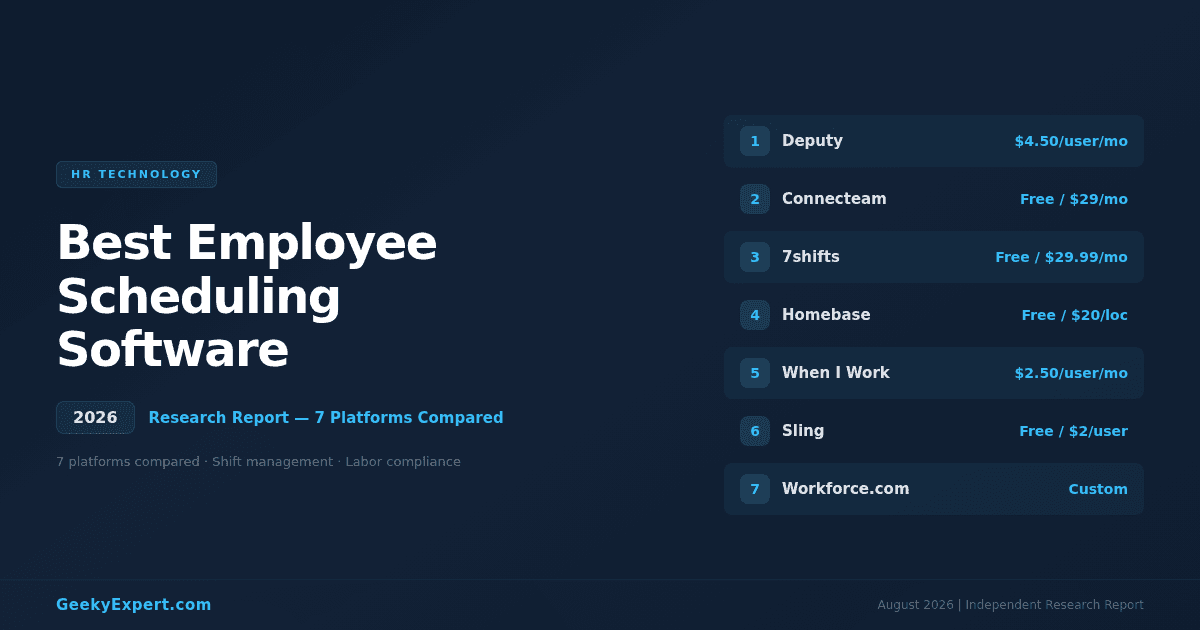
Why Employee Scheduling Software Matters in 2026
Employee scheduling software automates shift planning, time-off management, labor forecasting, and compliance tracking -- replacing spreadsheets, whiteboards, and group texts with intelligent systems that reduce scheduling errors, cut overtime costs, and improve employee satisfaction. The business case is clear: companies switching from manual to automated scheduling save 20--50% on overtime costs and see measurable improvements in employee retention and satisfaction. In 2026, the best platforms use AI-driven demand forecasting to match staffing levels to actual business needs, auto-generate compliant schedules in seconds, and give employees mobile self-service tools for shift swaps, availability, and time-off requests.
What is the best employee scheduling software in 2026?
The best employee scheduling software in 2026 is Deputy -- it scores 9.3/10 in our evaluation, starts at $4.50/user/month, and combines AI-powered auto-scheduling, real-time labor cost tracking, and built-in compliance tools across 100+ countries. Deputy handles shift planning, time & attendance, and team communication in one platform with an intuitive drag-and-drop interface.
Best for your situation
- ▸Deskless & field workers: Connecteam -- all-in-one mobile ops platform
- ▸Restaurant scheduling: 7shifts -- purpose-built for food service
- ▸Small business (free): Homebase -- free scheduling + time clock
- ▸Shift swapping: When I Work -- employee self-service shifts
VERIFIED PLATFORM & PRICING DATA (2026)
| Platform | Entry Price | Best For | Score |
|---|---|---|---|
| Deputy | $4.50/user/mo | Overall best; AI auto-scheduling + compliance | 9.3 |
| Connecteam | Free (up to 5) / $29/mo | Deskless & field workforce operations | 9.1 |
| 7shifts | Free (1 location) / $29.99/mo | Restaurant & food service scheduling | 8.9 |
| Homebase | Free / $20/location/mo | Free scheduling for small business | 8.8 |
| When I Work | $2.50/user/mo | Shift swapping & employee self-service | 8.6 |
| Sling | Free / $2/user/mo | Multi-location scheduling | 8.5 |
| Workforce.com | Custom pricing | AI-driven labor forecasting | 8.4 |
How to Read This Category
Not every scheduling tool does the same thing. Employee scheduling software splits into two core models, and understanding this split is essential before choosing a platform.
TWO CORE MODELS OF SCHEDULING SOFTWARE
| Model | What It Does | Cost Implication | Platforms |
|---|---|---|---|
| Standalone Scheduling | Focused shift planning, time clock, and basic communication -- fast to deploy, lower cost | Lower cost -- typically $2--5/user/month or free | Deputy, Homebase, When I Work, Sling |
| All-in-One Workforce Platform | Scheduling bundled with HR, training, task management, forms, and communication -- replaces multiple tools | Higher cost -- but replaces 3--5 separate tools | Connecteam, 7shifts, Workforce.com |
Match Scheduling Software to Your Industry
The #1 predictor of scheduling software success is industry fit. A restaurant scheduler handles tip pooling and labor percentage targets; a field-service scheduler handles GPS tracking and job dispatch. Match the platform to your operational reality.
MATCH SCHEDULING SOFTWARE TO YOUR INDUSTRY (2026)
| Your Industry | What You Need | Best Fit | |
|---|---|---|---|
| Restaurants & food service | → | POS integration, tip pooling, labor % targets | 7shifts |
| Retail & hospitality | → | Multi-location, demand forecasting, compliance | Deputy, Sling |
| Field services & construction | → | GPS tracking, job dispatch, mobile forms | Connecteam |
| Healthcare & senior care | → | Credential tracking, overtime alerts, compliance | Deputy, Workforce.com |
| Small business (<25 employees) | → | Free plan, simple setup, time clock | Homebase, Sling |
| Enterprise (500+ employees) | → | AI forecasting, demand-based scheduling, analytics | Workforce.com, Deputy |
Featured HR Technology
Deputy -- Best Overall Employee Scheduling Software
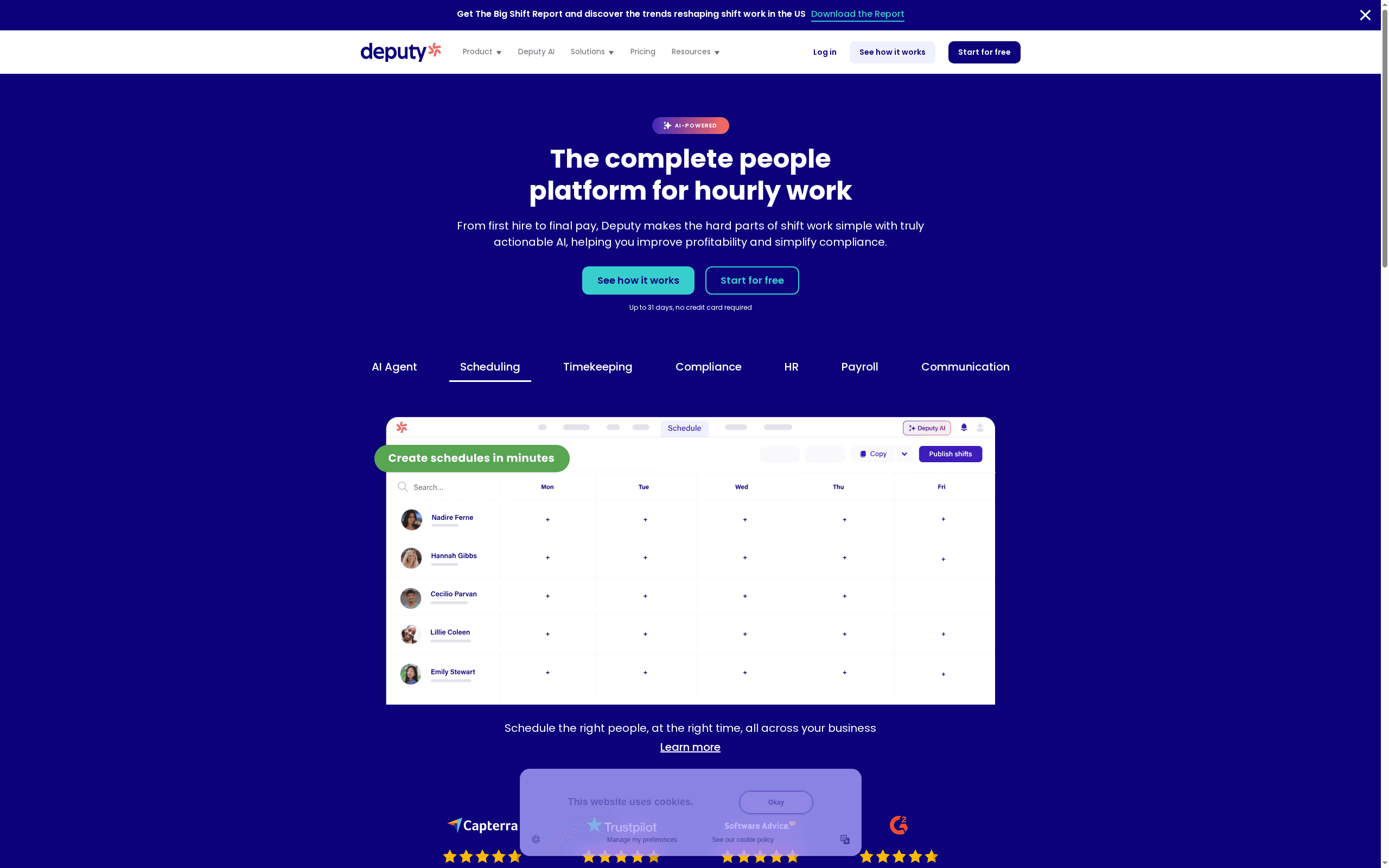
Deputy is the best overall employee scheduling software in 2026 -- it scores 9.3/10 in our evaluation, starts at $4.50/user/month, and combines AI-powered auto-scheduling, real-time labor cost tracking, and built-in compliance tools across 100+ countries in a single platform. Deputy handles the full scheduling lifecycle from demand forecasting through shift creation, time and attendance, and payroll export.
DEPUTY AT A GLANCE
| Attribute | Detail |
|---|---|
| Entry price | $4.50/user/month (Scheduling plan) |
| Premium plan | $6/user/month (Premium -- adds demand forecasting + advanced reporting) |
| Free trial | 31-day free trial, no credit card required |
| Compliance | 100+ country labor law compliance, fair workweek, overtime alerts |
| Integrations | ADP, Gusto, Xero, QuickBooks, Square, Toast, Lightspeed, BambooHR |
| Mobile app | 4.8/5 on iOS, 4.6/5 on Google Play |
Honest Limitation
Deputy is a scheduling and time-tracking specialist -- it does not include built-in HR, training, or task management features like Connecteam. Teams that need an all-in-one operations platform may find they still need additional tools alongside Deputy. The $4.50/user price, while competitive, is higher than free alternatives like Homebase or Sling for very small teams on tight budgets.
Best For
Businesses of any size -- from 10 to 10,000+ employees -- in retail, hospitality, healthcare, and services that need intelligent scheduling, real-time labor cost control, and multi-jurisdiction compliance in one platform.
Connecteam -- Best for Deskless & Field Workers
Connecteam is the best employee scheduling software for deskless and field workforces in 2026 -- it goes far beyond scheduling to provide an all-in-one mobile operations platform that combines shift planning, time tracking, task management, training, forms, and team communication. For businesses managing field crews, remote teams, or distributed hourly workers, Connecteam replaces 3--5 separate tools with one app.
CONNECTEAM AT A GLANCE
| Feature | Detail |
|---|---|
| Pricing | Free (up to 5 users) / $29/month for up to 30 users (Basic) |
| Advanced plans | $49/mo (Advanced) / $99/mo (Expert) for up to 30 users |
| Core platform | All-in-one: scheduling + time clock + tasks + training + comms + forms |
| GPS tracking | Real-time GPS tracking, geofenced clock-in/out, breadcrumb trails |
| Mobile app | 4.8/5 iOS, 4.7/5 Google Play -- purpose-built for mobile-first teams |
| Industries | Construction, field services, cleaning, security, healthcare, logistics |
Honest Limitation
The breadth of features means the scheduling module itself is slightly less specialized than Deputy's -- it lacks Deputy's real-time labor cost overlay and demand forecasting depth. The per-team pricing model (rather than per-user) means costs can jump at team-size thresholds. Businesses that only need scheduling and already have separate tools for communication and training may find Connecteam overkill.
Best For
Deskless and field workforces in construction, field services, cleaning, security, healthcare, and logistics that need an all-in-one mobile operations platform combining scheduling, time tracking, communication, and task management.
7shifts -- Best for Restaurant Scheduling
7shifts is the best employee scheduling software for restaurants and food service businesses in 2026 -- it is purpose-built for the restaurant industry with POS integrations, tip pooling, labor cost targeting, and features designed around the unique operational reality of food service. Over 50,000 restaurants use 7shifts, from single-location independents to multi-unit chains.
7SHIFTS AT A GLANCE
| Feature | Detail |
|---|---|
| Pricing | Free (1 location, up to 30 employees) / $29.99/mo/location (Entrée) |
| Premium plans | $69.99/mo/location (The Works) / $135/mo/location (Gourmet) |
| Restaurant users | 50,000+ restaurant locations |
| POS integrations | Toast, Square, Clover, Lightspeed, Revel, TouchBistro, Aloha |
| Unique features | Tip pooling, labor % targets, sales-driven scheduling |
| Mobile app | 4.8/5 iOS, 4.6/5 Google Play |
Honest Limitation
7shifts is purpose-built for restaurants -- if you're not in food service, the POS integrations, tip pooling, and labor percentage features aren't relevant, and you'd be better served by Deputy or Connecteam. Per-location pricing can add up quickly for multi-unit operators, especially at the higher tiers.
Best For
Restaurants, cafes, bars, catering companies, and food service businesses of all sizes -- from single-location independents on the free plan to multi-unit chains needing sales-driven scheduling and tip management.
Homebase -- Best Free Scheduling for Small Business
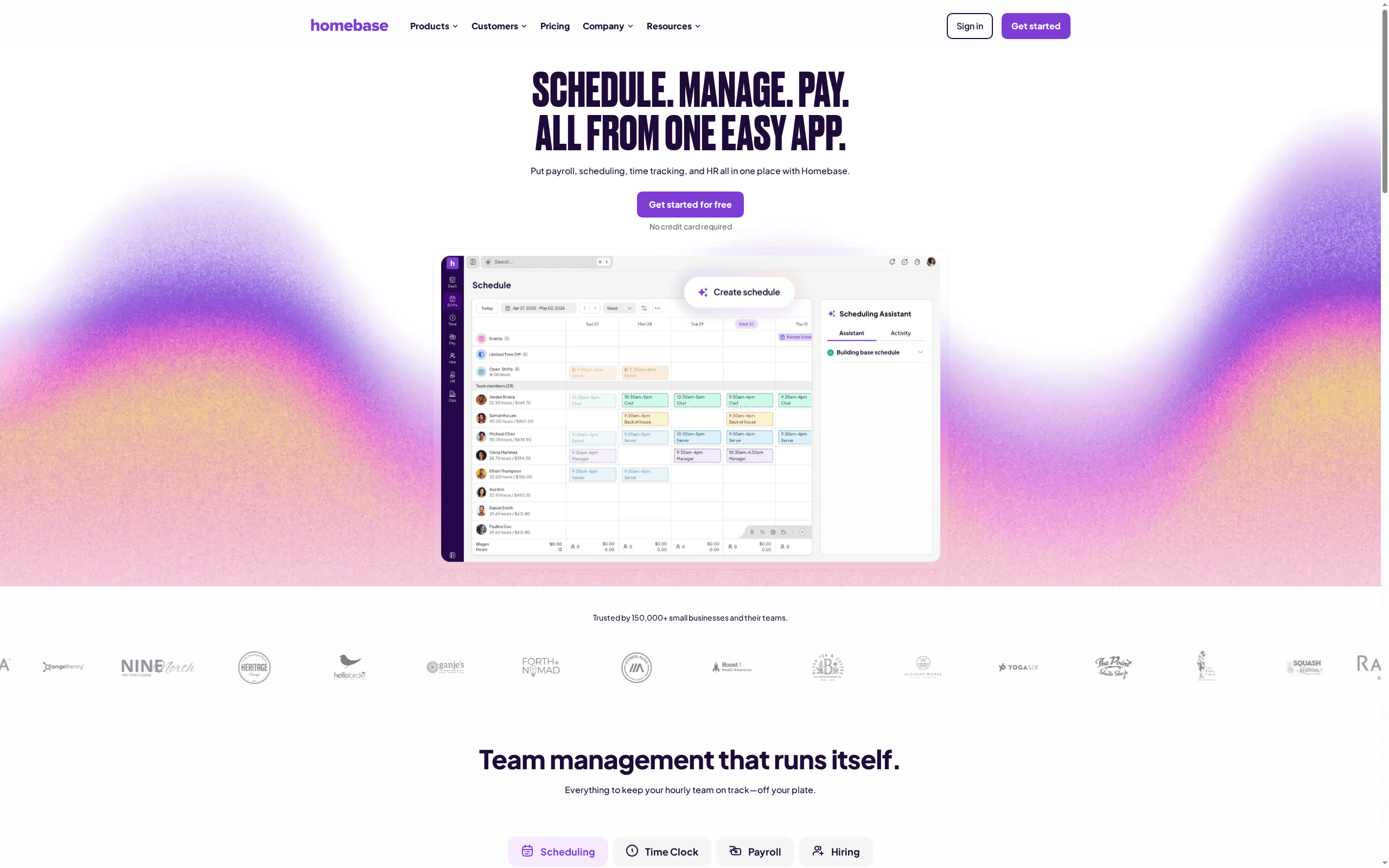
Homebase is the best free employee scheduling software for small businesses in 2026 -- its free plan includes scheduling, time clock, and basic team messaging for unlimited employees at a single location, making it the strongest no-cost entry point for small businesses that need to move beyond spreadsheets and group texts. Homebase serves over 100,000 small businesses across the US.
HOMEBASE AT A GLANCE
| Feature | Detail |
|---|---|
| Pricing | Free (1 location, unlimited employees) / $20/location/mo (Essentials) |
| Premium plans | $48/location/mo (Plus) / $80/location/mo (All-in-One with payroll) |
| Users | 100,000+ small businesses |
| Free plan includes | Scheduling, time clock, messaging, hiring tools |
| Integrations | Square, Clover, Toast, Shopify, ADP, Gusto, QuickBooks |
| Bonus features | Hiring and applicant tracking, onboarding, HR compliance |
Honest Limitation
The free plan is limited to a single location, and advanced features like labor cost forecasting, advanced compliance tools, and payroll require paid plans. Homebase lacks the AI auto-scheduling and demand forecasting capabilities of Deputy, and does not offer the all-in-one operations depth of Connecteam. Multi-location businesses will find the per-location pricing adds up quickly compared to per-user models.
Best For
Small businesses with a single location (retail shops, cafes, salons, studios) that need free, reliable scheduling and time tracking with room to grow into paid features as the business scales.
When I Work -- Best for Shift Swapping
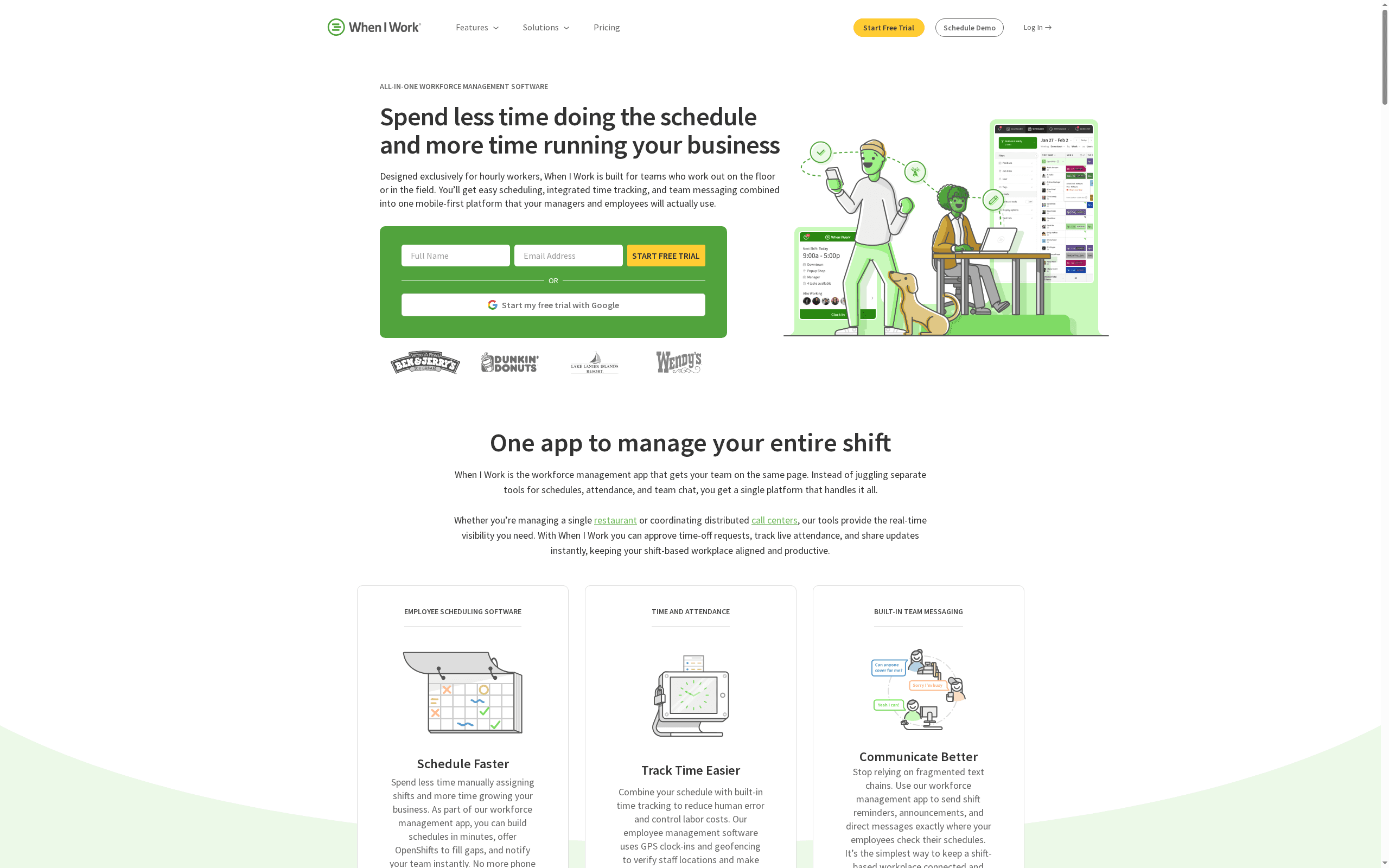
When I Work is the best employee scheduling software for shift swapping and employee self-service in 2026 -- it puts shift management directly in employees' hands with an intuitive mobile app that makes trading shifts, picking up open shifts, and managing availability as easy as sending a text message. When I Work serves over 200,000 workplaces globally.
WHEN I WORK AT A GLANCE
| Feature | Detail |
|---|---|
| Pricing | $2.50/user/month (Standard) / $5/user/month (Advanced) |
| Workplaces | 200,000+ workplaces globally |
| Core differentiator | Industry-leading shift swap and employee self-service UX |
| Time clock | GPS-verified clock-in/out, early clock-in prevention |
| Integrations | ADP, Gusto, QuickBooks, Square, Paychex, payroll export |
| Mobile app | 4.7/5 iOS, 4.5/5 Google Play |
Honest Limitation
When I Work lacks the AI auto-scheduling intelligence and demand forecasting of Deputy, and doesn't offer the all-in-one operations breadth of Connecteam. No free plan is available (only a 14-day free trial). The compliance tooling is more basic than Deputy or Workforce.com -- adequate for US labor laws but less robust for multi-country operations.
Best For
Hourly workforces in retail, hospitality, healthcare, and services where shift swaps, call-outs, and last-minute schedule changes are a constant operational challenge -- teams that want to empower employees to manage their own shift coverage.
Sling -- Best for Multi-Location Scheduling
Sling is the best employee scheduling software for multi-location businesses on a budget in 2026 -- it offers a genuinely useful free plan and affordable paid tiers with strong multi-location scheduling, labor cost management, and built-in team communication. Sling (acquired by Toast in 2022) serves businesses across retail, hospitality, healthcare, and services.
SLING AT A GLANCE
| Feature | Detail |
|---|---|
| Pricing | Free (unlimited employees) / $2/user/mo (Premium) / $4/user/mo (Business) |
| Owned by | Toast (acquired 2022) |
| Core differentiator | Multi-location scheduling with cross-location shift coverage |
| Free plan includes | Scheduling, shift swaps, availability, time-off requests, messaging |
| Premium features | Time clock, overtime tracking, labor cost management, reporting |
| Integration | Toast POS (native), Square, payroll export |
Honest Limitation
Sling lacks AI auto-scheduling and demand forecasting. The scheduling interface is functional but less polished than Deputy's. Compliance tooling is basic compared to Deputy or Workforce.com. The Toast acquisition means the roadmap may increasingly prioritize restaurant use cases over other industries.
Best For
Multi-location businesses in retail, hospitality, and services that need affordable scheduling across multiple sites with cross-location staff sharing and labor cost comparison -- especially businesses already on Toast POS.
Workforce.com -- Best for AI-Driven Labor Forecasting
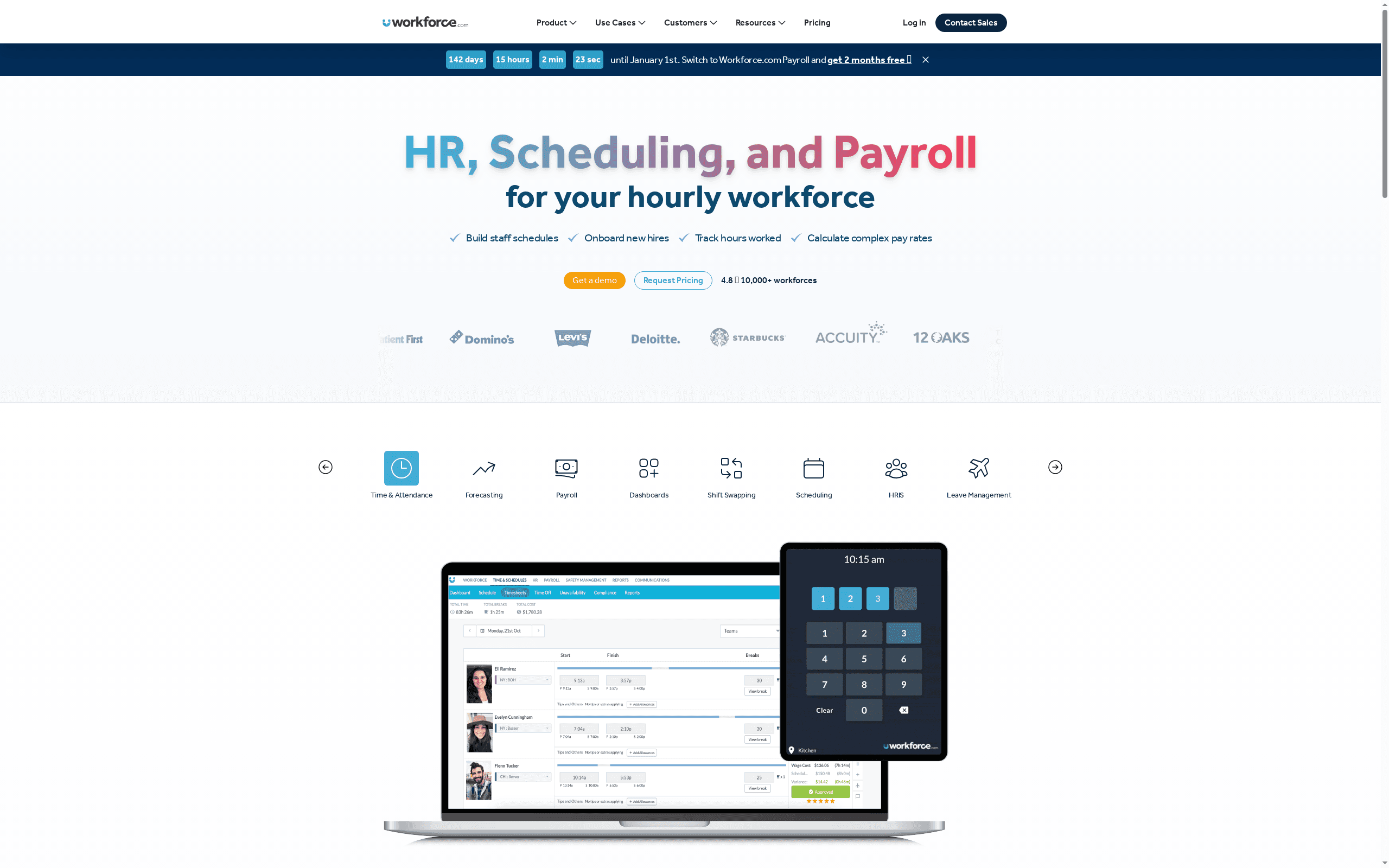
Workforce.com is the best employee scheduling software for AI-driven labor forecasting and enterprise workforce management in 2026 -- it uses machine learning to predict staffing needs based on historical sales data, foot traffic, weather, events, and dozens of other demand signals, then auto-generates optimized schedules that match labor to demand with precision that manual scheduling cannot achieve.
WORKFORCE.COM AT A GLANCE
| Feature | Detail |
|---|---|
| Pricing | Custom pricing (enterprise -- based on headcount and modules) |
| Core differentiator | AI/ML demand forecasting with multi-signal labor prediction |
| Demand signals | Historical sales, foot traffic, weather, events, seasonality, POS data |
| Compliance | 100+ country labor law compliance, award interpretation (AU/NZ) |
| Target segment | Enterprise and large mid-market (500+ employees) |
| Additional modules | HR onboarding, pay, leave management, workforce analytics |
Honest Limitation
Custom enterprise pricing puts Workforce.com out of reach for most SMBs -- there is no free plan, no self-serve pricing, and no published per-user rate. Implementation is more complex than Deputy or Homebase, often requiring a dedicated project team. The platform is designed for 500+ employee organizations; smaller businesses will find it overbuilt.
Best For
Enterprise and large mid-market organizations (500+ employees) in retail, hospitality, healthcare, and logistics that need AI-driven demand forecasting, complex compliance management, and workforce analytics at scale -- especially businesses with operations in Australia, New Zealand, or multiple countries.
Frequently Asked Questions
What is employee scheduling software?
Employee scheduling software is a digital tool that automates shift planning, time-off management, and workforce coordination. It replaces manual methods like spreadsheets and whiteboards with drag-and-drop schedule builders, AI-powered auto-scheduling, mobile shift swap requests, real-time labor cost tracking, and compliance monitoring.
The best platforms in 2026 -- like Deputy, Connecteam, and 7shifts -- also include demand forecasting, team communication, and time-and-attendance tracking in one system. These tools typically provide mobile apps for employees to view schedules, request time off, swap shifts, and clock in/out from their phones.
How much does employee scheduling software cost?
Employee scheduling software ranges from free to $5+/user/month for most SMB-focused tools, with enterprise platforms using custom pricing. Homebase and Sling offer free plans for basic scheduling. When I Work starts at $2.50/user/month, Sling Premium at $2/user/month, and Deputy at $4.50/user/month. Connecteam is free for up to 5 users then $29/month for up to 30 users. 7shifts is free for single-location restaurants with up to 30 employees.
Enterprise platforms like Workforce.com use custom pricing based on headcount and module selection. The ROI typically comes from reduced overtime (20--50% savings) and fewer scheduling errors.
What is the difference between free and paid employee scheduling software?
Free scheduling tools (Homebase, Sling, 7shifts free tier) cover basic shift creation, employee availability, and time clock functionality for small teams or single locations. Paid plans add AI auto-scheduling, demand forecasting, labor cost optimization, advanced compliance tracking (overtime alerts, break enforcement, predictive scheduling laws), multi-location management, integrations with payroll and POS systems, and priority support.
The ROI of paid plans typically comes from reduced overtime costs (20--50% savings), fewer scheduling errors, and time saved on manual schedule building. Most businesses outgrow free plans when they add a second location or exceed 25--30 employees.
What features matter most in employee scheduling software?
The five features that matter most are: (1) Mobile access -- employees must be able to view schedules, request time off, and swap shifts from their phones, since 80%+ of hourly workers check schedules on mobile. (2) Auto-scheduling -- AI that builds optimized schedules based on availability, skills, labor budgets, and demand forecasts, saving managers hours per week. (3) Compliance tools -- automated overtime alerts, break tracking, and labor law enforcement that prevent costly violations.
(4) Integration -- connections to your payroll, POS, and HRIS systems that eliminate double data entry. (5) Communication -- built-in team messaging and shift reminders that reduce no-shows and miscommunication. Deputy leads across these five dimensions.
How does employee scheduling software help with labor law compliance?
Employee scheduling software automates compliance by tracking overtime thresholds and sending alerts before violations occur, enforcing mandatory break periods with automatic reminders and lockouts, managing predictive scheduling laws (fair workweek ordinances in cities like San Francisco, New York, and Chicago) that require advance notice of schedules and premium pay for last-minute changes, tracking minor labor restrictions on hours and tasks, maintaining audit-ready records of all schedule changes and approvals, and supporting multi-jurisdiction compliance for businesses operating across states or countries.
Deputy and Workforce.com lead in compliance capabilities, covering 100+ country-specific labor regulations including complex award interpretation for Australian and New Zealand businesses.
About Geeky Expert
Geeky Expert is a leading provider of research and insights, dedicated to helping businesses make informed decisions through comprehensive analysis.